MiddleSea,
Any progress on this wireless notion?
As the IOT (Internet of Things) draws ever closer your idea is looking more and more like the normal way of doing things. While I am just starting the struggle to understand, use and create with Bluetooth 4.0 I do have a thought.
- - In this case I assume the data stream coming to RM is oneway so the diagram could be drawn serial=>Bluetooth=>serial. No need for for full duplex, handshaking back and forth, just bridge the gap one way. The depth recorder or depth/gps combo unit is simply a talker and RM is a listener. Amounts to cutting the serial wires , inserting a one way wireless link and the devices at either end are none the wiser.
- - IT may be a trivial DIY project using a new device on the market. The Light Blue Bean.
punchthrough.com/bean/
"The LightBlue Bean is a low energy Bluetooth Arduino microcontroller. Using Bluetooth 4.0, it is programmed wirelessly, runs on a coin cell battery, and is perfect for smartphone controlled projects."
So for about $60 for TWO Beans and a little code that is probably already in the sample code bin and little soldering we might be in business. I just need a bit of spare time and $$ and I want to build one.
...........
It is important to note that AnglingCharts is correct, in that this would add another mode of failure and so violates the KISS principle, (Keep It Simple Stupid).
********************
UPDATE_01:
TurnKey Solution: aprox $150US
www.pcworld.com/product/pg/1093134420/detail

"The FirePlug is a Class 1 Bluetooth to USB - serial adapter. It attaches to a USB port on your PC, but presents itself as a Serial Port. No Windows Bluetooth drivers or stacks needed! Unlike standard Bluetooth USB Adapters, this adapter has more than just a Bluetooth radio in the USB housing. It has an intelligent bluetooth serial device, capable of being permanently Paired with another bluetooth serial device, such as the BluePort XP (battery powered) or FireFly (RS232 adapter). With the FirePlug's onboard memory, you no longer need to rely on Windows to remember the connection. You can reboot your PC, turn it on and off, upgrade to Vista, you can even move the FirePlug from one PC to another - it doesn't matter. The FirePlug has the power to run the Bluetooth SPP (Serial Port Profile) on its own with no help from Windows, and it stores its bluetooth pairing information in its onboard flash memory. So set it up once and forget it! With the FirePlug's Class 1 Bluetooth Radio, you can transmit your serial data up to 100 meters (330 feet) away. FirePlug utilizes the latest in USB to serial conversion circuits. Just plug it into your USB port, and Microsoft certified drivers are installed automatically. Windows will create a serial COM Port, and then you can configure and control the FirePlug using simple ASCII strings (AT Commands) over the COM port, no GUI or API drivers into Bluetooth stacks need to be used or written. By using the simple COM interface, a more reliable and stable connection can be made and maintained. The FirePlug supports the latest and greatest Bluetooth specification 2.0 (which provides faster Enhanced Data Rate (EDR) and lower Bit Error Rate (BER)), but is also compatible with devices supporting the older 1.x specifications."
**************************
Roll your Own: $50 to $70 just for the modules, then you have to wire and power them.
Some info on implementing serial over Bluetooth:
learn.sparkfun.com/tutorials/using-the-bluesmirf
"Are you ready to hit the airwaves and add Bluetooth to your project? With the BlueSMiRF and Bluetooth Mate line of products, you’re much closer than you think to replacing those pesky, tangled RX and TX wires with 2.4GHz wireless communication.
Each of these modules has a Bluetooth transceiver on it, meaning they’re capable of both sending and receiving data. They’re perfect for directly replacing a wired asynchronous serial interface. Free of wires, your devices can be up to 100 meters away from each other. On top of those benefits, these modules are also very easy to use. There’s no messing with Bluetooth protocols or the stack, just send data over a serial interface, and it’s piped through to whatever Bluetooth module to which it’s connected. In this tutorial we’ll cover everything you need to know about these Bluetooth modules. We’ll begin with an overview of the hardware, and the differences between each device. Then we’ll get into hardware hookup and example Arduino code. . . . . . . "
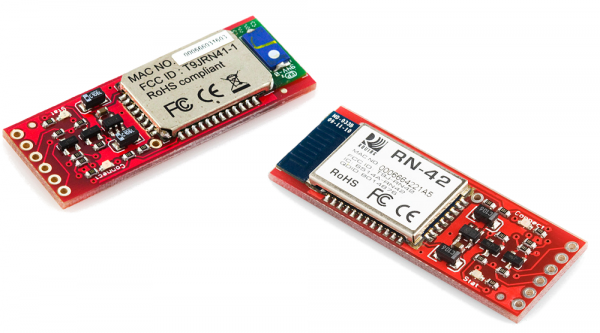
The modules pictured each cost $25US to $35US (two required) and the price difference is transmit range: 10M vs 100M range and the trade off is power consumption.
Overview of Bluetooth: learn.sparkfun.com/tutorials/bluetooth-basics